How to Test Your Mobile App for Free in 2025
Struggling with 'how to test my new mobile app for free 2025'? App Daddy provides practical solutions to get your app approved on Google Play.
Introduction: Testing a new mobile app for free in 2025 is a priority for developers facing Google Play’s 12-tester rule. For new personal accounts (post-November 2023), a 14-day closed test with 12 testers is mandatory to ensure app quality. AppDadz (https://play.google.com/store/apps/details?id=com.testers.pro) offers a free platform, delivering 12 testers in 48 hours to report bugs and ensure compliance. This guide details how to test your app cost-effectively, why testing matters, and how AppDadz streamlines the process. With 2.5 billion Android users, a bug-free app is crucial for success.
Why Free Testing Is Essential: Testing identifies issues like crashes or UI misalignments that could lead to poor reviews. Google’s 12-tester rule ensures your app works across devices like the OnePlus 13. Free testing with AppDadz saves money, making it ideal for solo developers. By catching bugs early, you enhance user experience and boost your app’s chances of approval.
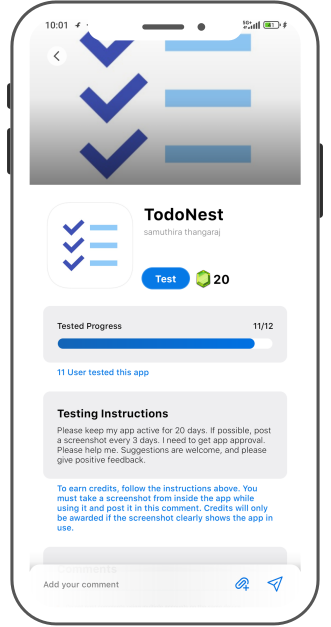
AppDadz’s Free Testing Platform: AppDadz eliminates testing costs by connecting you with 12 testers in 48 hours. Sign up at https://play.google.com/store/apps/details?id=com.testers.pro, share your Play Console testing link, and testers begin evaluating your app. They report issues like “the app slows on Android 14,” helping you refine your app. AppDadz ensures device diversity and tester engagement, meeting Google’s strict requirements.
Setting Up Your Test: Upload your .aab file to Google Play Console, ensuring it’s signed and versioned correctly. Go to “Testing,” select “Closed testing,” and create a track. AppDadz provides 12 tester emails or a Google Group for easy setup. Share the testing link via AppDadz’s platform, and testers start downloading your app. Over 14 days, they provide feedback like “the checkout is unresponsive,” guiding your updates.
Using Feedback Effectively: AppDadz’s reports are clear and actionable, highlighting bugs like “the navigation fails on tablets.” Release 2–3 updates during the test, prioritizing critical issues. For example, if a tester reports a crash during signup, optimize the code and upload a new .aab file. AppDadz’s dashboard simplifies feedback management, ensuring you focus on quality improvements.
Overcoming Testing Challenges: Beginners often struggle with tester retention and device variety. Early uninstalls reset the 14-day clock, and duplicate devices lead to rejection. AppDadz ensures 12 unique testers stay active, preventing delays. Its platform also organizes feedback, sparing you from manual coordination. These features make free testing accessible and effective.
Ensuring Google Compliance: Google monitors tester activity, requiring unique devices and continuous engagement. AppDadz’s community uses diverse phones, from budget to flagship models, ensuring compliance. The platform tracks tester activity, guaranteeing a full 14-day test. This reduces the risk of rejection, helping you meet Google’s standards.
Tips for 2025 Testing: Start with a stable app to minimize fixes. Provide testers with tasks, like “test the payment system,” to focus feedback. Use AppDadz’s reports to prioritize bugs. Monitor Play Console to confirm tester activity. Test early to allow time for updates, ensuring a polished app ready for approval.
Conclusion: Testing your mobile app for free in 2025 is straightforward with AppDadz. Its platform delivers 12 testers to meet Google Play’s 12-tester rule, ensuring a high-quality app. Start testing at https://play.google.com/store/apps/details?id=com.testers.pro to launch successfully.
Conclusion
By leveraging AppDadz’s testing platform, you can address how to test my new mobile app for free 2025 efficiently, ensuring your app meets Google Play’s standards and delivers a polished user experience.