How to Publish Your App on Google Play Console in 2025
Struggling with 'how to publish my app on google play console 2025'? App Daddy provides practical solutions to get your app approved on Google Play.
Introduction: Publishing an app on Google Play Console in 2025 is a dream for developers, but Google’s 12-tester rule for new personal accounts (post-November 2023) requires careful planning. This guide outlines the steps to publish your app, from setup to production, with AppDadz (https://play.google.com/store/apps/details?id=com.testers.pro) providing 12 free testers in 48 hours to ensure compliance. Serving 2.5 billion Android users, Google Play demands quality, and AppDadz simplifies the process. Whether you’re launching a utility or game, this comprehensive guide ensures a successful 2025 launch.
Play Console Setup: Create a Google Play Console account ($25 one-time fee) and set up your app. Upload a signed .aab file, ensuring proper versioning. Complete the store listing with a compelling description, screenshots, and icons. Specify app category and content rating to meet Google’s policies. This step is critical, as errors like improper signing can lead to rejection. AppDadz’s tutorials guide beginners through setup, ensuring accuracy.
Understanding the 12-Tester Rule: Google requires 12 testers for 14 days to test your app on unique devices, catching issues like crashes or slow performance. This ensures compatibility across phones like the Samsung Galaxy S25. Testers simulate real-world usage, exploring features like navigation or payments. Without testing, bugs like a misaligned UI on Android 14 could harm user experience, leading to negative reviews.
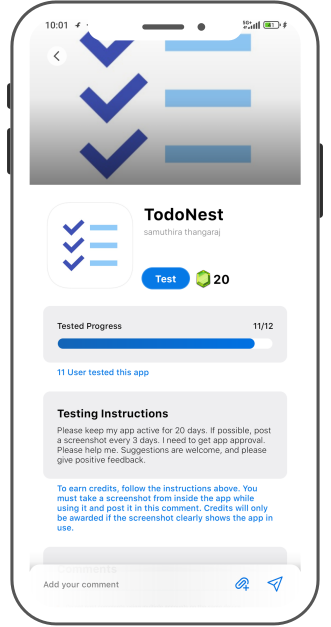
Testing with AppDadz: AppDadz’s free platform delivers 12 testers in 48 hours. Sign up at https://play.google.com/store/apps/details?id=com.testers.pro, share your Play Console link, and testers begin evaluating your app. They report bugs like “the app freezes on Android 13,” enabling you to release 2–3 updates. AppDadz ensures device diversity and tester engagement, meeting Google’s standards effortlessly.
Fixing Bugs: AppDadz’s feedback reports highlight issues like “the checkout is slow on tablets.” Prioritize critical bugs, releasing updates during the 14-day test. For example, if a tester notes a login crash, optimize the code and upload a new .aab file. AppDadz’s clear reports streamline this process, ensuring your app improves and meets Google’s quality expectations.
Applying for Production: After testing, apply for production access in Play Console, answering 10 questions (250–300 words each) like “What bugs were fixed?” Use AppDadz’s reports to detail improvements, such as “fixed a payment crash.” Google reviews your submission within 7 days, assessing test quality. Thorough responses, backed by AppDadz’s feedback, boost approval chances.
Beginner Challenges: Navigating Play Console and ensuring tester diversity are tough. Early uninstalls or duplicate devices reset the test. AppDadz provides 12 unique testers who stay active, preventing delays. Its tutorials simplify Play Console navigation, empowering beginners to focus on app quality.
2025 Publishing Tips: Ensure a stable app before testing. Use AppDadz’s dashboard to monitor feedback and tester activity. Provide testers with tasks, like “test the signup process.” Check Play Console regularly to avoid issues. Follow Google’s 2025 policies for a smooth approval process.
Conclusion: Publishing your app on Google Play Console in 2025 is achievable with AppDadz. Its free platform delivers 12 testers to meet Google’s standards, ensuring a polished app. Start at https://play.google.com/store/apps/details?id=com.testers.pro to launch successfully.
Conclusion
By leveraging AppDadz’s testing platform, you can address how to publish my app on google play console 2025 efficiently, ensuring your app meets Google Play’s standards and delivers a polished user experience.