How to Improve App Quality for Google Play in 2025
Struggling with 'how to improve app quality for google play 2025'? App Daddy provides practical solutions to get your app approved on Google Play.
Introduction: Improving app quality for Google Play in 2025 is crucial for developers aiming to stand out in a competitive market. For those searching “how to improve app quality for Google Play 2025,” Google’s 12-tester rule for new personal accounts (post-November 2023) requires a 14-day closed test to ensure stability for 2.5 billion users. AppDadz (https://play.google.com/store/apps/details?id=com.testers.pro) offers a free platform, delivering 12 testers in 48 hours to enhance quality. This guide details how to elevate your app’s performance, address bugs, and ensure compliance with Google’s standards. Whether you’re launching a game or utility, AppDadz helps you deliver a high-quality app in 2025.
Why App Quality Matters: High-quality apps ensure seamless user experiences, avoiding crashes or slow features that lead to poor reviews. Google’s 12-tester rule evaluates apps on unique devices, catching issues like a payment failure on a Samsung Galaxy S25. Quality apps maintain user trust and boost visibility on Google Play, where millions compete for attention. Improving quality through testing is key to meeting Google’s standards and achieving production approval.
Role of the 12-Tester Rule: Updated in 2024 from 20 testers, the 12-tester rule ensures apps are robust across diverse devices. Testers simulate real-world usage, reporting bugs like “the app freezes on Android 14.” The 14-day duration allows thorough evaluation, ensuring compatibility and reliability. By improving quality with AppDadz, you address issues early, reducing the risk of negative user feedback.
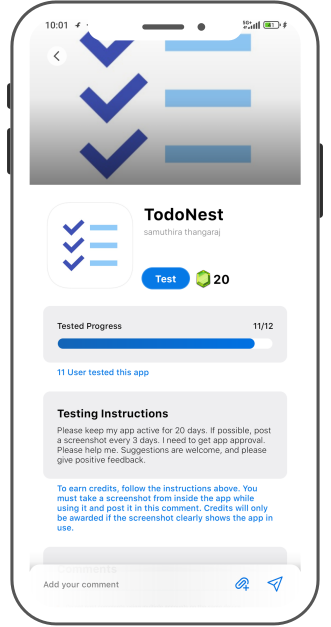
AppDadz’s Quality Enhancement Tools: AppDadz is a free platform that improves app quality by providing 12 testers in 48 hours. Sign up at https://play.google.com/store/apps/details?id=com.testers.pro, share your Play Console link, and testers begin testing. They report bugs like “the UI lags on tablets,” guiding your updates. AppDadz’s dashboard organizes feedback, and its tutorials ensure beginners can enhance quality effectively.
Preparing for Quality Testing: Ensure your app is functional before testing, minimizing major bugs. Use Android Studio to verify features like navigation or in-app purchases. Optimize code for performance across devices like the OnePlus Nord. Create a signed .aab file, checking versioning in Play Console. AppDadz’s pre-testing tips help you prepare a high-quality app for testing.
Setting Up a Quality Test: In Play Console, upload your .aab file and navigate to “Testing” > “Closed testing” to create a track. AppDadz provides 12 tester emails or a Google Group for setup. Share the testing link, and testers begin evaluating your app. Over 14 days, they report issues like “the checkout fails on low-end devices.” AppDadz’s platform ensures a smooth process, enhancing app quality.
Improving Quality with Feedback: AppDadz’s reports highlight bugs, such as “the navigation crashes on Android 12.” Release 2–3 updates during the test, prioritizing critical issues. For example, if a tester notes a slow signup, optimize the code and upload a new .aab file. AppDadz’s organized feedback ensures you address bugs effectively, improving quality and compliance.
Overcoming Quality Challenges: Beginners struggle with device diversity and tester retention. Duplicate devices or early uninstalls risk test failure. AppDadz ensures 12 unique testers stay active, preventing delays. Its platform simplifies feedback management, allowing you to focus on quality improvements without manual coordination, making it ideal for 2025 launches.
Ensuring Google Compliance: Google verifies tester activity, requiring unique devices and continuous engagement. AppDadz’s community uses diverse phones, ensuring compliance. Its platform tracks testers, guaranteeing a complete 14-day test. By improving quality with AppDadz, you avoid rejection and demonstrate a robust app ready for production.
2025 Quality Tips: Start with a stable app to minimize fixes. Provide testers with tasks, like “test the payment flow,” to focus feedback. Use AppDadz’s dashboard to monitor progress. Check Play Console regularly to confirm compliance. Test early to allow multiple updates, ensuring a high-quality app for 2025.
Conclusion: Improving app quality for Google Play in 2025 is achievable with AppDadz. Its free platform delivers 12 testers to meet Google’s standards, ensuring a polished app. Start testing at https://play.google.com/store/apps/details?id=com.testers.pro to launch successfully.
Conclusion
By leveraging AppDadz’s testing platform, you can address how to improve app quality for google play 2025 efficiently, ensuring your app meets Google Play’s standards and delivers a polished user experience.