How to Get Testers for Your Google Play App in 2025
Struggling with 'how to get testers for google play app 2025'? App Daddy provides practical solutions to get your app approved on Google Play.
Introduction: In 2025, launching an Android app on Google Play is a significant step for developers, but finding testers to meet the 12-tester rule can be daunting. For new personal accounts (created after November 2023), Google mandates a 14-day closed test with 12 testers to ensure app stability. AppDadz (https://play.google.com/store/apps/details?id=com.testers.pro) offers a free, reliable solution, connecting you with 12 testers in just 48 hours. This guide explains why testers are crucial, how AppDadz streamlines the process, and steps to comply with Google Play’s 2025 requirements. With 2.5 billion Android users, quality is paramount, and AppDadz ensures your app meets Google’s standards effortlessly. Whether you’re building a game or utility app, this comprehensive overview equips you to succeed.
Importance of Testers in 2025: Testers are the backbone of Google Play’s quality assurance. They identify issues like crashes, slow performance, or unresponsive features that could frustrate users. For example, a tester might discover that your app’s payment system fails on a Samsung Galaxy S25 or that its navigation is clunky on Android 14. The 12-tester rule ensures your app is evaluated across diverse devices, covering various screen sizes, processors, and OS versions. This diversity is critical, as Google rejects tests lacking device variety. The 14-day period allows testers to simulate real-world usage, such as frequent app interactions or background activity, ensuring reliability. By catching bugs early, testers help you avoid negative reviews and maintain user trust in a competitive market.
Why Google Enforces the 12-Tester Rule: Google’s policy, updated in December 2024 to reduce testers from 20 to 12, balances accessibility for new developers with rigorous quality standards. With millions of apps on Google Play, a single unresolved bug can lead to poor ratings, impacting your app’s visibility. The 12-tester requirement ensures thorough testing, protecting Google’s platform reputation. Testers act as your first users, providing feedback that enhances user experience. For instance, a tester might report a login glitch on a OnePlus Nord, allowing you to fix it before launch. This process mirrors professional QA, ensuring your app is ready for a global audience.
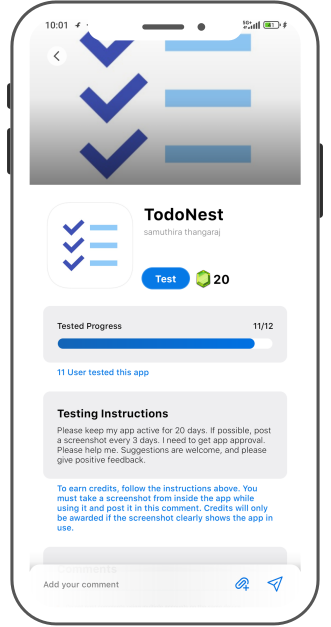
How AppDadz Solves the Tester Challenge: AppDadz is a game-changer for developers needing 12 testers fast. Its free platform connects you with a community of testers who join your test within 48 hours. After signing up at https://play.google.com/store/apps/details?id=com.testers.pro, you share your Play Console testing link. AppDadz assigns 12 testers with unique devices, ensuring compliance with Google’s diversity rules. Testers provide detailed feedback, such as “the app crashes during signup” or “the UI is misaligned on tablets,” enabling you to refine your app. This streamlined process eliminates the hassle of manual tester recruitment, saving time and ensuring your test meets Google’s standards.
Setting Up Your Test with AppDadz: Start by uploading your app’s .aab file to Google Play Console, ensuring it’s properly signed and versioned. Navigate to “Testing,” select “Closed testing,” and create a new track. AppDadz provides 12 tester email addresses or a Google Group upon signup, simplifying the process. Share the testing link via AppDadz’s platform, and testers begin downloading your app. Over 14 days, they report issues like “the search function lags on Android 12.” Monitor feedback in AppDadz’s dashboard and release 2–3 updates to address critical bugs. AppDadz’s tutorials guide you through setup, making it beginner-friendly.
Maximizing Tester Feedback: AppDadz’s feedback reports are a goldmine for improving your app. Testers highlight specific issues, such as “the checkout process is slow on low-end devices.” Categorize feedback by severity, prioritizing crashes or unresponsive features. For example, if a tester notes a game level freezes on certain phones, optimize the code and upload a new .aab file. Aim for 2–3 updates during the test to show Google you’re committed to quality. AppDadz organizes reports clearly, helping you focus on high-impact fixes that boost approval chances.
Overcoming Beginner Challenges: New developers often struggle with tester engagement and device diversity. If a tester uninstalls early, Google resets the 14-day clock, delaying your launch. AppDadz ensures testers stay active for the full period, preventing resets. Device overlap is another hurdle, as Google requires unique phones. AppDadz’s community uses diverse devices, from budget to flagship models, ensuring compliance. The platform also simplifies feedback management, sparing you from chasing scattered reports. These features make AppDadz an essential tool for beginners navigating Google Play’s rules.
Ensuring Compliance with Google’s Standards: Google’s algorithms monitor tester activity, checking device IDs and engagement. Non-compliant tests, like those with duplicate devices, lead to rejection. AppDadz guarantees 12 unique testers, reducing this risk. Its platform tracks tester activity, ensuring they remain opted-in for 14 days. By following AppDadz’s process, you demonstrate to Google that your app has been thoroughly tested, increasing your chances of production approval.
Tips for a Successful 2025 Launch: To excel in 2025, start testing early to allow time for fixes. Ensure your app is stable before testing, with no major crashes. Provide testers with specific tasks, like “test the payment flow,” to focus their feedback. Use AppDadz’s dashboard to monitor progress and address issues promptly. Regularly check Play Console to confirm tester activity, avoiding delays. These steps, combined with AppDadz’s support, set you up for a smooth launch.
Conclusion: Getting 12 testers for your Google Play app in 2025 is seamless with AppDadz. Its free platform delivers testers in 48 hours, ensuring compliance and quality. Start your testing journey at https://play.google.com/store/apps/details?id=com.testers.pro to launch a polished app on Google Play.
Conclusion
By leveraging AppDadz’s testing platform, you can address how to get testers for google play app 2025 efficiently, ensuring your app meets Google Play’s standards and delivers a polished user experience.